Turning a wireframe into a vision with the help of AI
If you've been following along, you know I'm working on launching my first app on the Play Store, designed and built with the help of AI. In the last post, I shared my experience getting over the hump of feeling overwhelmed and diving in. I used AI to interpret a rough wireframe sketch, then used that analysis to produce a first draft of a user interface in Figma. Now I needed to think about what I wanted the app to be beyond a nice homepage design, so I went back to Claude for help.
First, I wrote out the problem I was trying to solve, what I wanted the app to accomplish, and notes on what I wanted users to be able to do with it. Then I asked Claude to help me create a persona for the app's users and a vision statement.
Its initial response was delightfully personalized: “Given your background, I imagine you might want to dig into this with real design rigor rather than just getting quick output — but let me check before I assume.” How considerate!
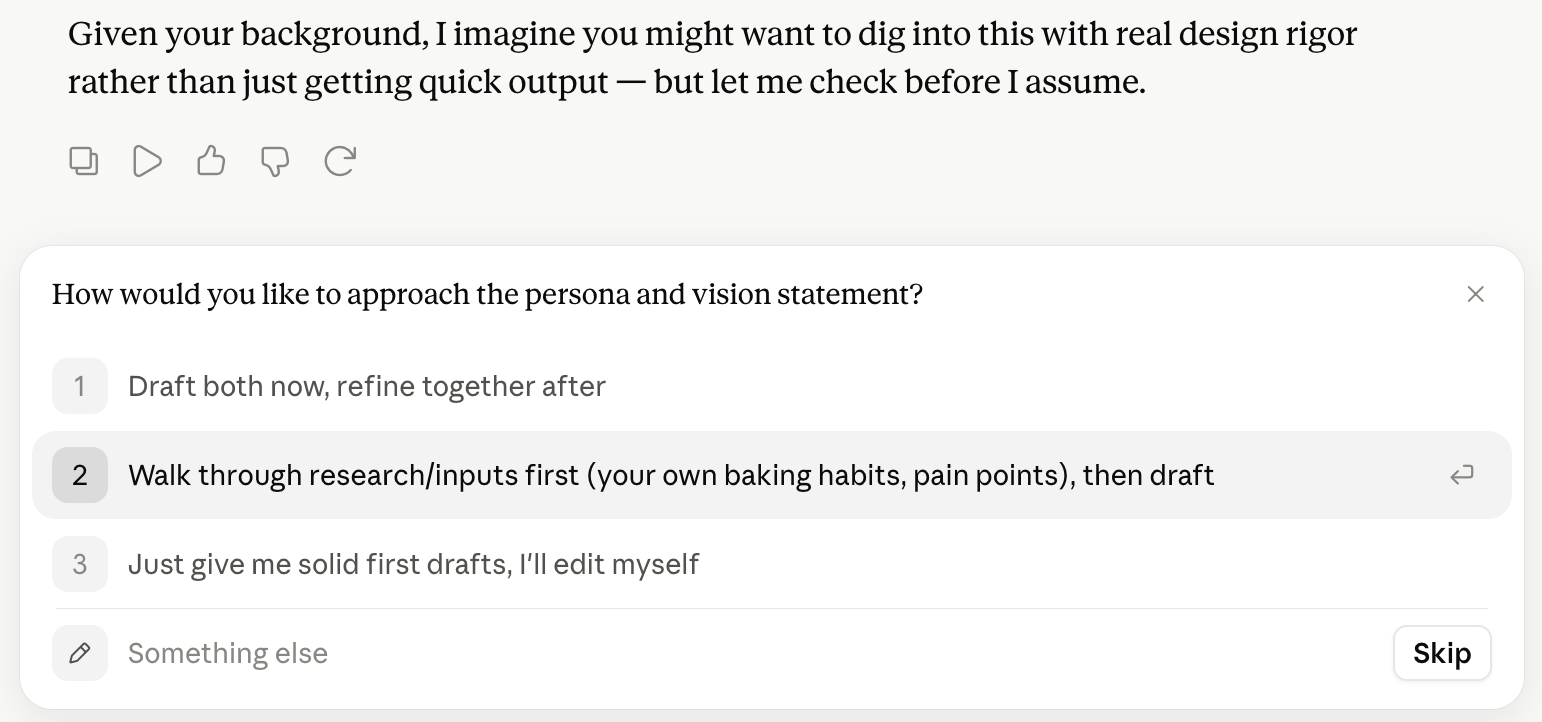
Claude then proceeded to ask relevant follow-up questions, just as a good product designer would, to better understand the user’s needs and requirements.
I was also surprised again by how much context it already had on sourdough baking, asking nuanced questions about whether the target user had a starter, their level of baking experience, and their schedule flexibility.
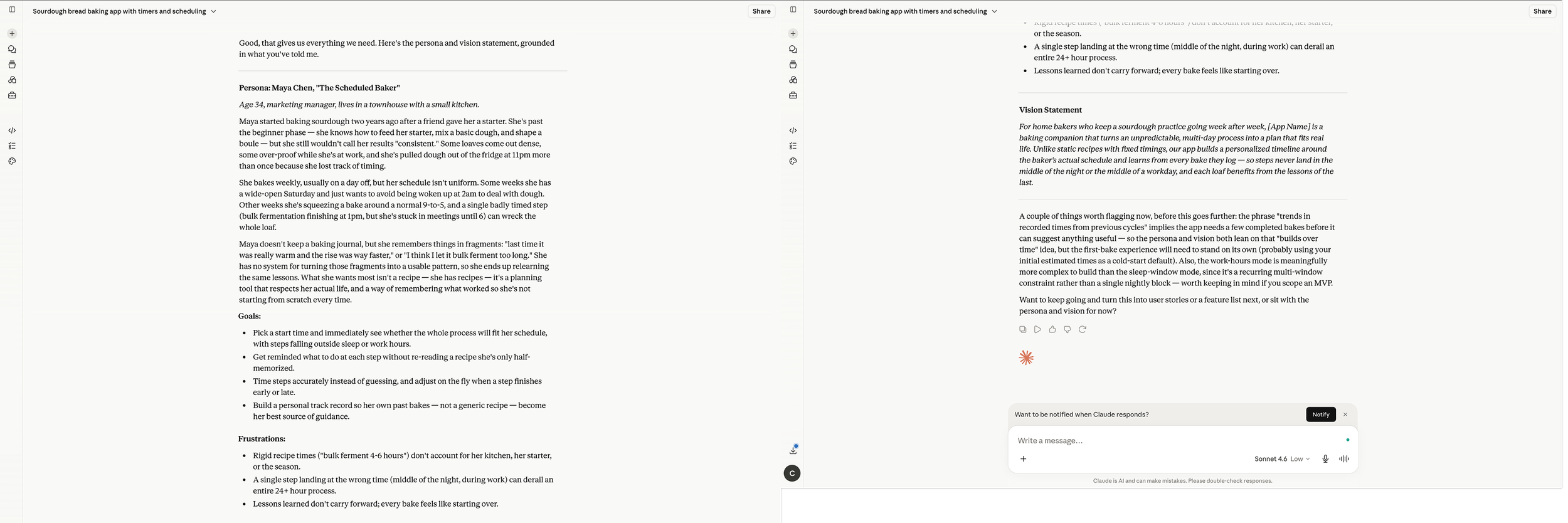
The persona it created was pretty good. Still a little generic and not built on research with real bakers, but a good proto-persona to start with. The vision statement was similarly a little generic, but succinct and nicely worded, and could act as a useful elevator pitch to describe the app idea to others.
Make it stand out
Claude then prompted me to keep going, asking if I’d like to turn this into user stories or a feature list. Why, yes I would! Thank you.
Before jumping in, it asked me clarifying questions about the scope, structure, and detail of the user stories, just as I’d expect a good PM or UX strategist to do.
After generating a complete list of user stories (some I hadn't even thought to specify in my original list), organized by MVP or later stage, Claude asked if I’d like to generate wireframes based on the user stories. I was starting to like how it kept anticipating the next step and prompting me to move forward.
Yet, before going further with Claude, I wanted to go back to Figma Make to see what it could produce now with a little more information. I prompted Figma to create wireframes to communicate an idea for an app that will help bakers plan and track the process of making sourdough bread, and told it to consider the following user stories when coming up with a wireframe sketch. I then copied over the user stories that Claude helped me create. The result was okay. It wasn’t fancy, but I did tell it to make a wireframe, not a polished design. I liked that it prototyped the basic functionality and more explicitly called out how the interaction components should work. It was by no means a final design, but another good step in helping me refine and visualize my idea - sort of like a very high-powered whiteboard.
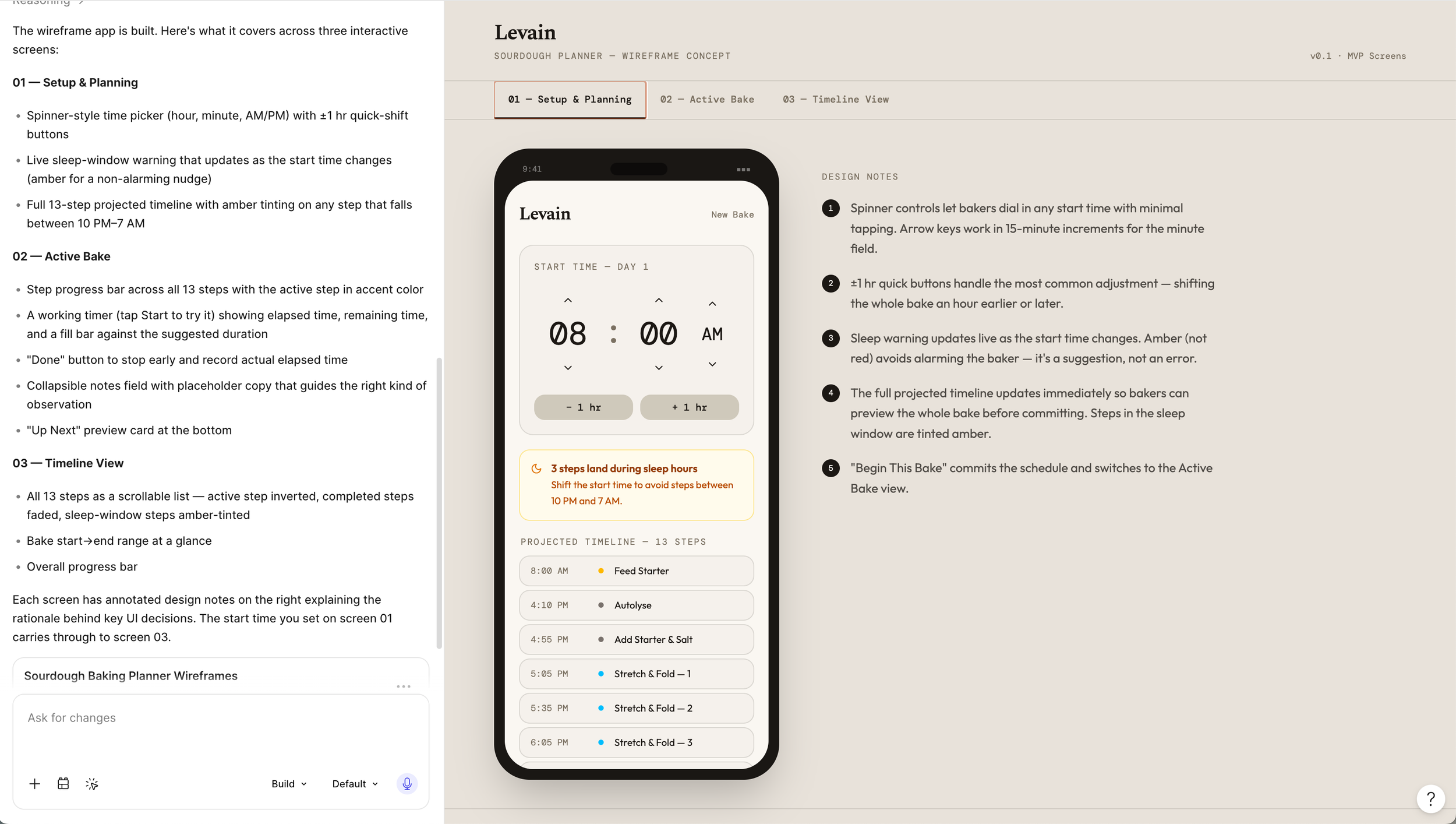
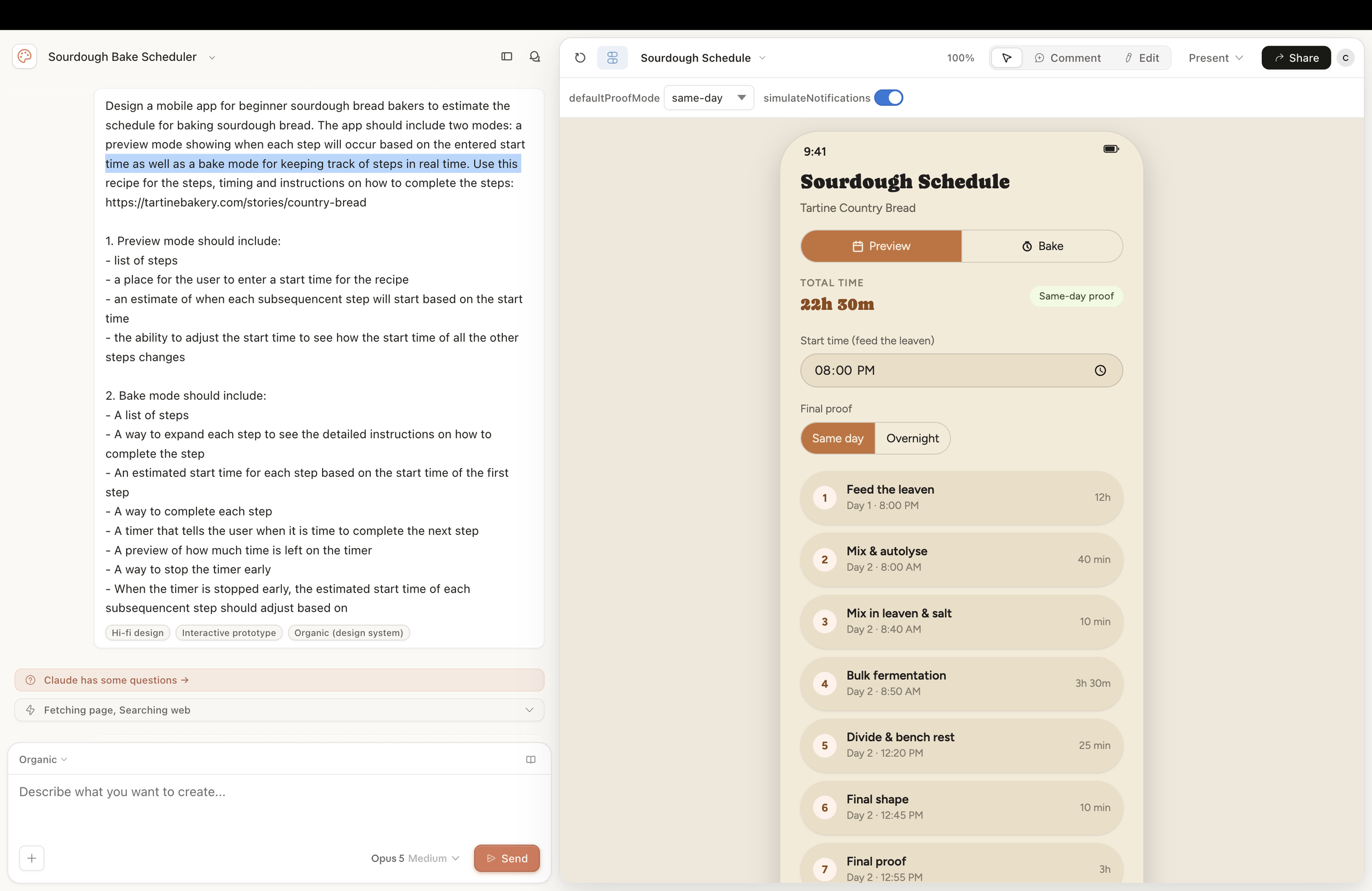
I took some time to noodle on the app a bit more, then went back to Claude. I created a refined list of functionality I wanted in the app, grouped by mode (plan/preview and bake), and asked it to come up with an app design. What it produced was a lot closer to my vision. I prompted it to make a few more tweaks until it had the functionality I wanted. Then it was time for the next, most intimidating step: build the app for real.
More to come on using Antigravity, Claude Code, and more to build the app….